
-
As soon as you follow a company, our monitoring and alerting system will make sure you don't miss any significant events that happen to it.
Events are classified as risk (high and medium), positive and informative. There are also free events for those companies you are following but do not have contracted.
You will receive e-mail alerts and they will also appear on the Followed page and in the company timeline section
This article explains how to follow companies:
_______
From a report’s task bar

Follow
- Access a report
- Click Follow in the task bar
- From now on, we will notify you of all significant events that happen to the company or freelancer
Unfollow
- Access a report
- Click Following it in the task bar
- Are you sure you want to stop following this company?
- You no longer follow this company or freelancer and you will no longer receive notifications.
_______
From a record
One by one...
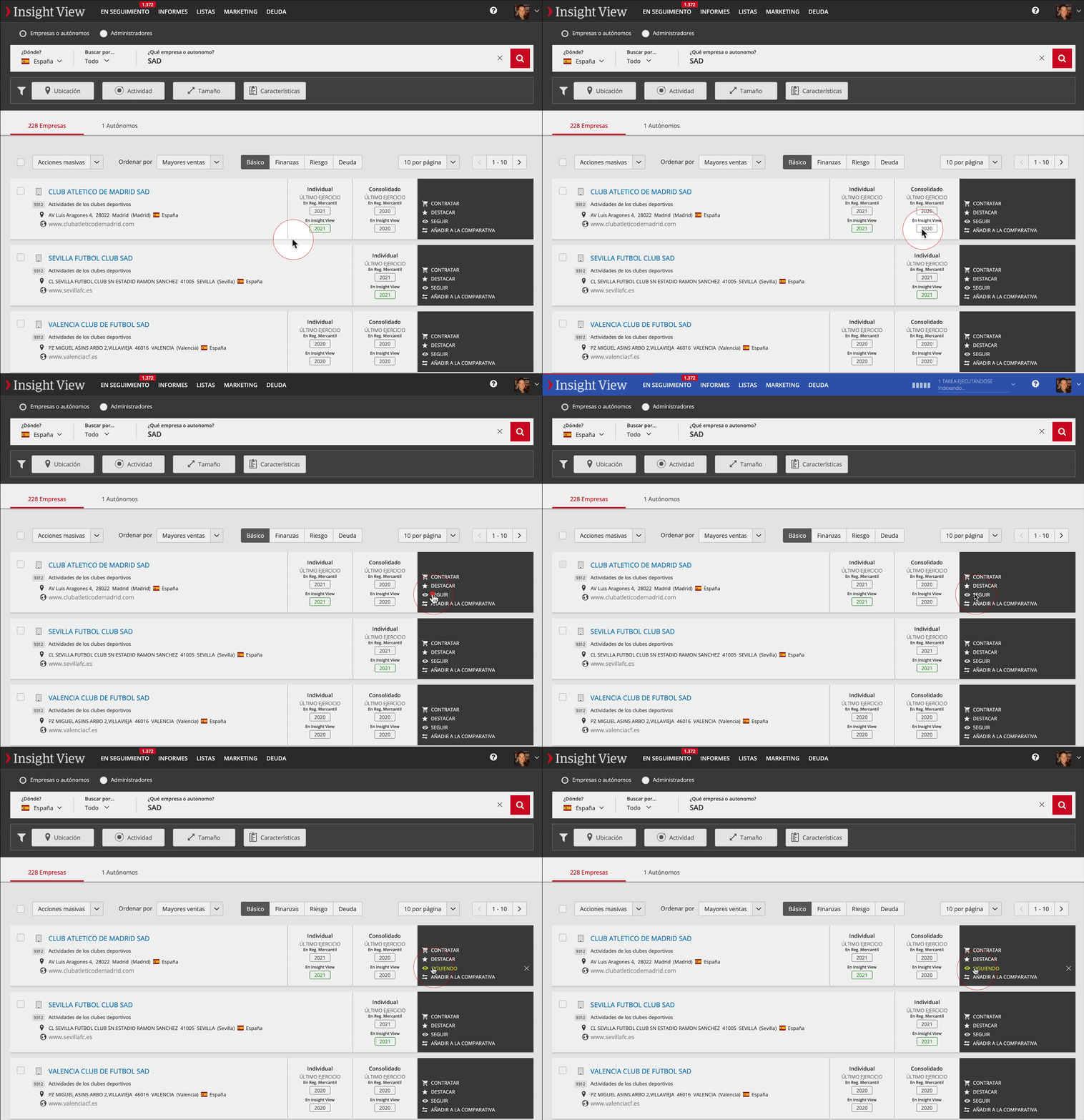
- Access search results or view a list record
- Click Follow in the company or freelancer
- From now on, we will notify you of all significant events that happen to it
If you would like to stop following it click the tick next to Followed
Massively...
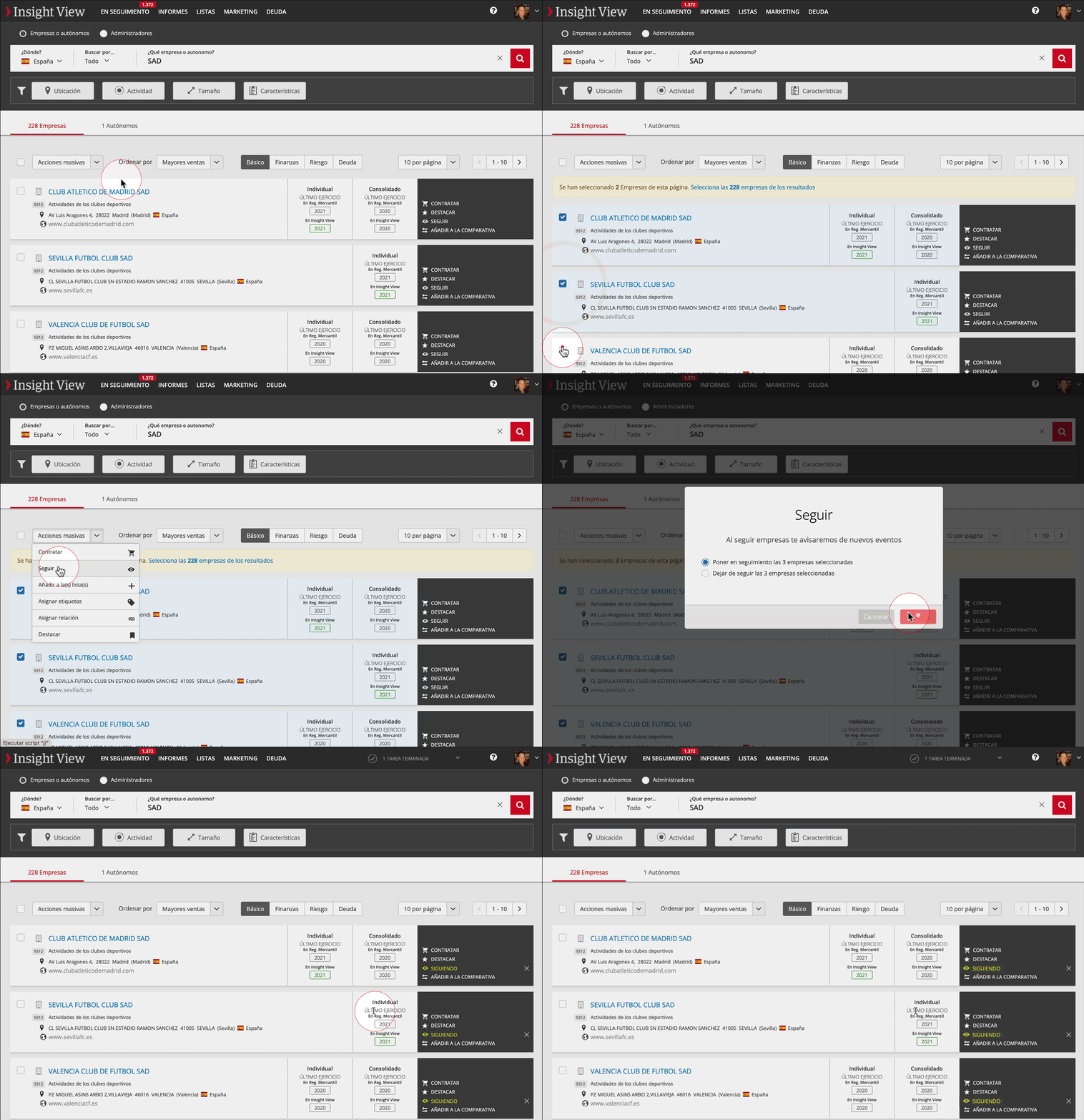
- Select the companies or freelancers you want to follow.
- Select Follow in Massive Actions
- In the contextual menu, select
- Follow if you would like to receive notifications of events as they happen.
- Unfollow if you would like to stop receiving notifications.
_______
In a massive way after importing an Excel file
After importing an Excel file, you are offered various massive actions that will affect all the companies identified in the file (for example, all your customers)
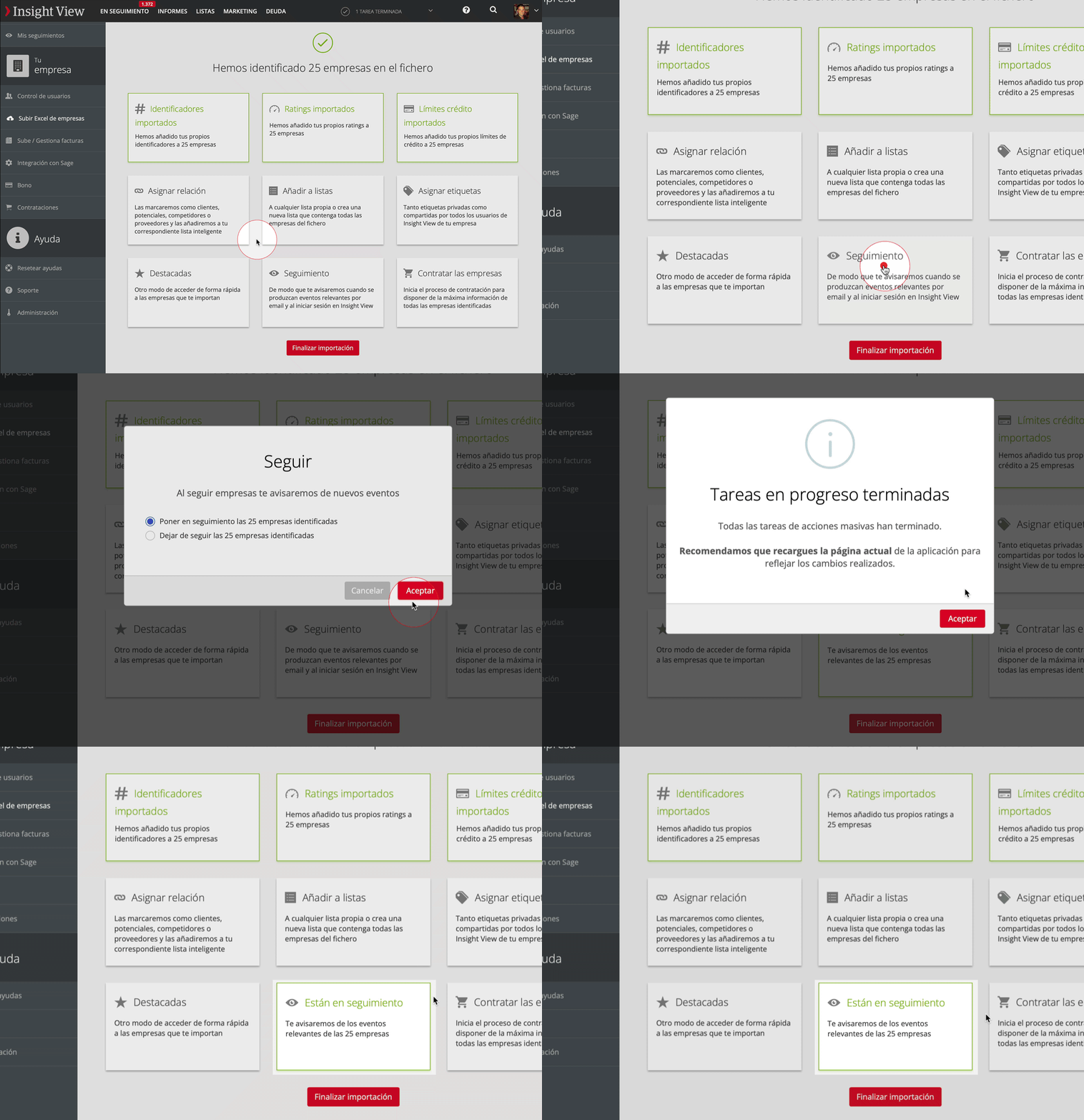
- Click the massive action Follow
- In the contextual menu, select
- Follow if you would like to receive notifications of events as they happen.
- Unfollow if you would like to stop receiving notifications.
_______
Massive improvements when contracting a company
- Contract a company or access the Contracted section for a company you have already contracted
- In available improvements, select "Follow” to receive notifications when significant events occur.