
Insight View lets you export all the information from the comparative reports in PDF or Excel.
This article explains how to:
_______
Exporting comparative reports in PDF
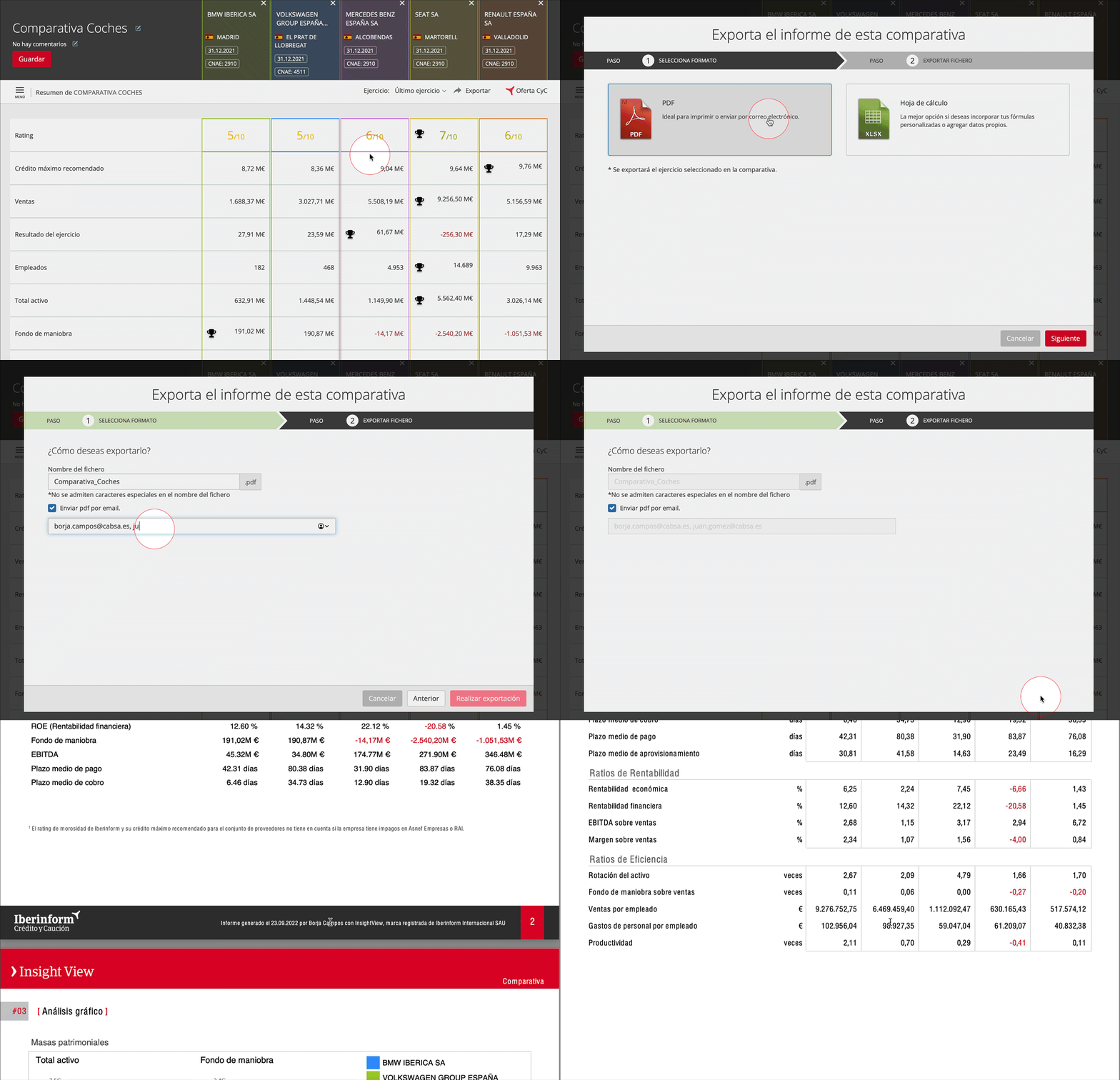
- Click Export in the report’s task bar.
- In the emerging window, select PDF and click Next
- In the last page of the Report set-up, you can:
- Change the name of the exported file
- Send it to the e-mails entered, separated by commas
- Click Export
⚠️ Comparative reports are standard and do not allow customisation, unlike company reports in PDF.
_______
Exporting comparative reports in Excel
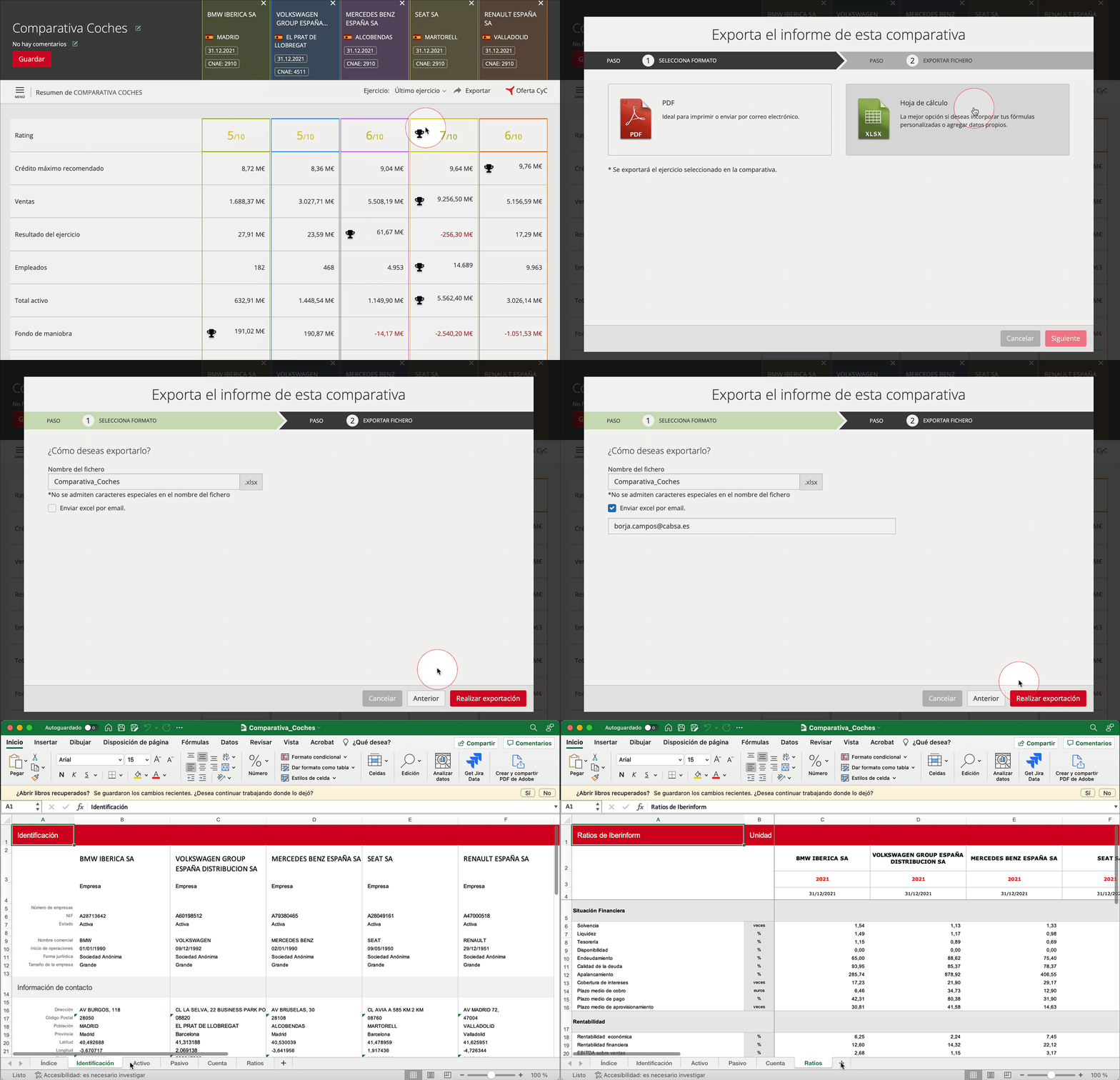
- Click Export in the report’s task bar.
- In the emerging window, select Excel and click Next
- In the last page of the Report set-up, you can:
- Change the name of the exported file
- Send it to the e-mails entered, separated by commas
- Click Export