
Insight View lets you export all the information from the freelancer list analysis in PDF
This article explains how.
🚫 Excel export is not available for list analysis
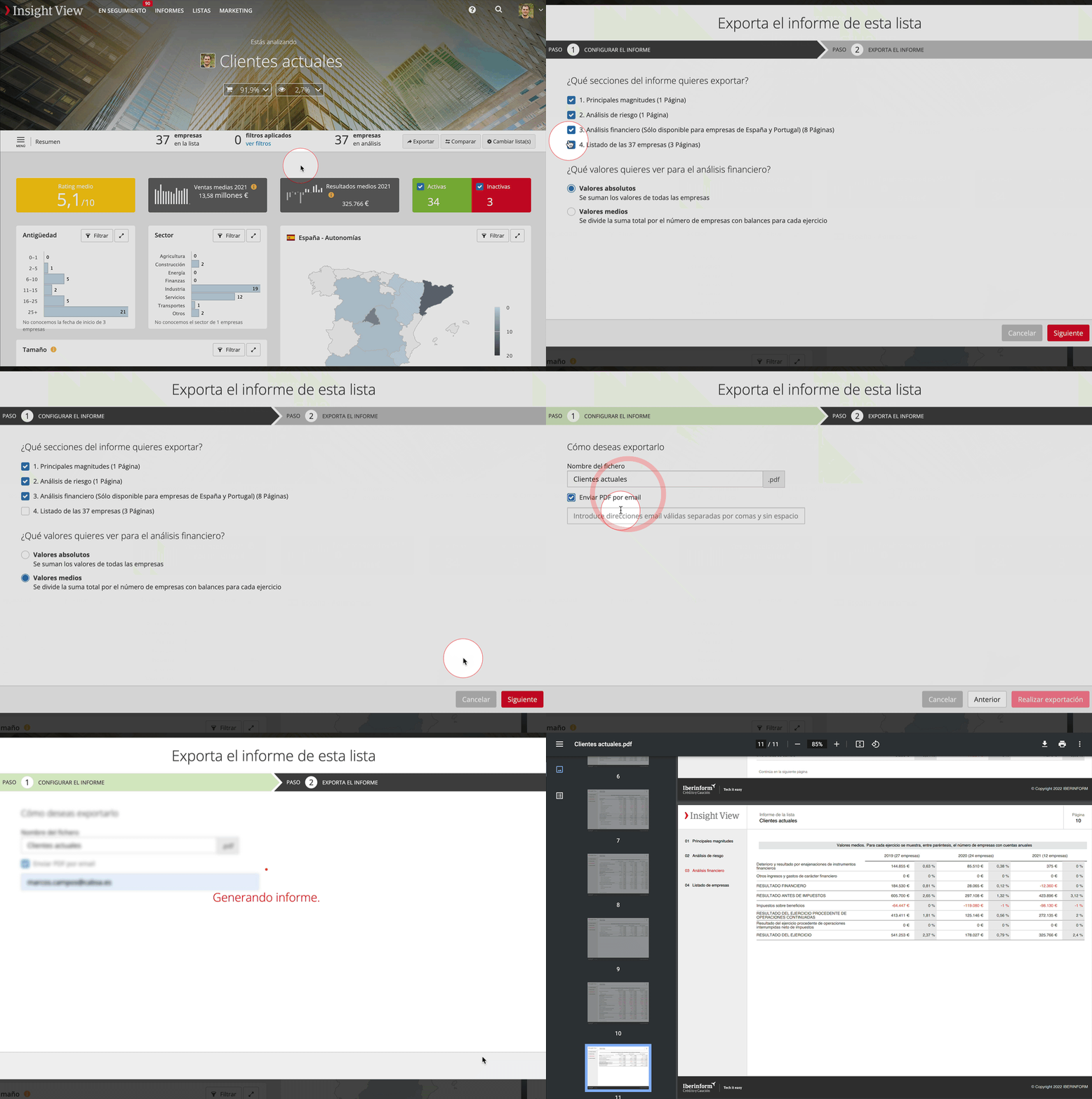
- Access the list whose analysis you would like to export in PDF
- Click Export in the task bar
- Select the sections you want to export. For each case the number of pages per section is shown.
- Choose whether you want to see absolute or average values in the balance sheet, income statement and ratios.
- Click Next
- Enter a name for the file and, if you like, enter the e-mail addresses you want it sent to, separated by commas if there are more than one.
- Click Export.