There are several ways to access a report on a company or freelancer:
_______
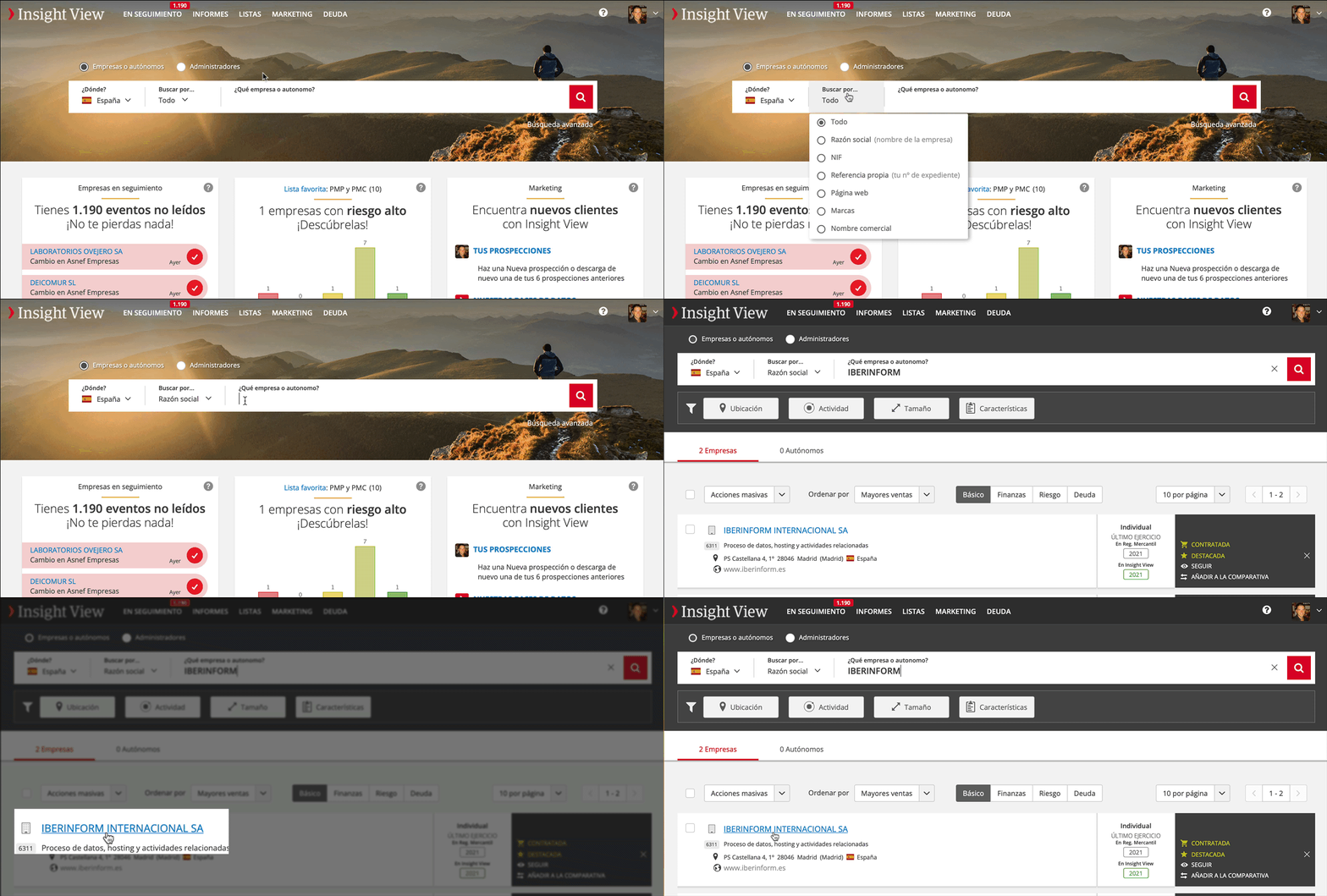
From results of a search
Use the home search engine or click the magnifying glass in the header at any time to start a search.
- Select country
- Indicate your search criterion (Insight will show you the available options for each country)
- Type in your search and click Search
- You can refine your search by applying the available filters
- Click the name of the company or freelancer that interests you
_______
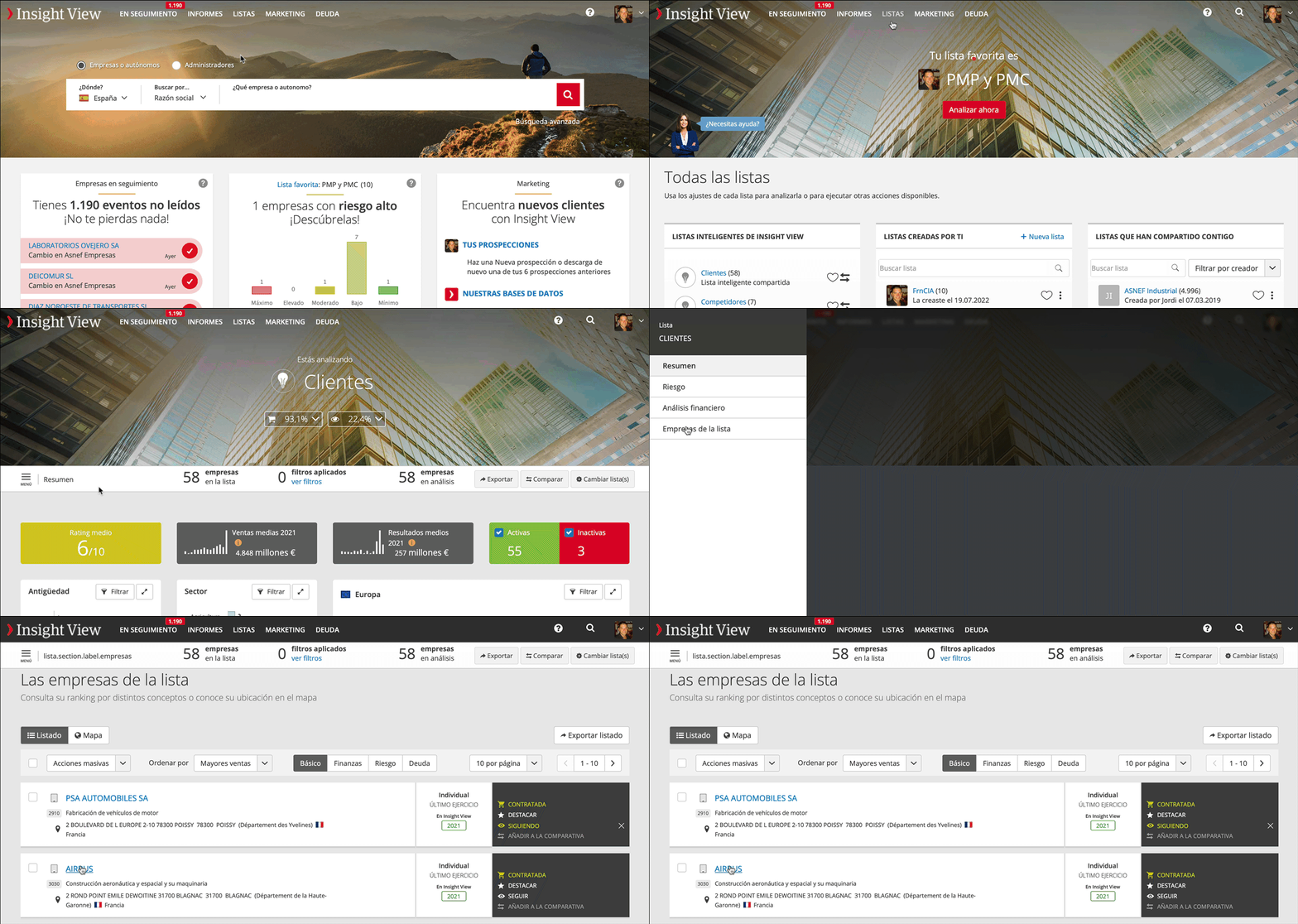
From the record of a list of companies and freelancers
One of the sections of lists is the record of the companies and freelancers they include.
- Go to the list where the company is located
- Access the record section
- Click the name of the company or freelancer that interests you
_______
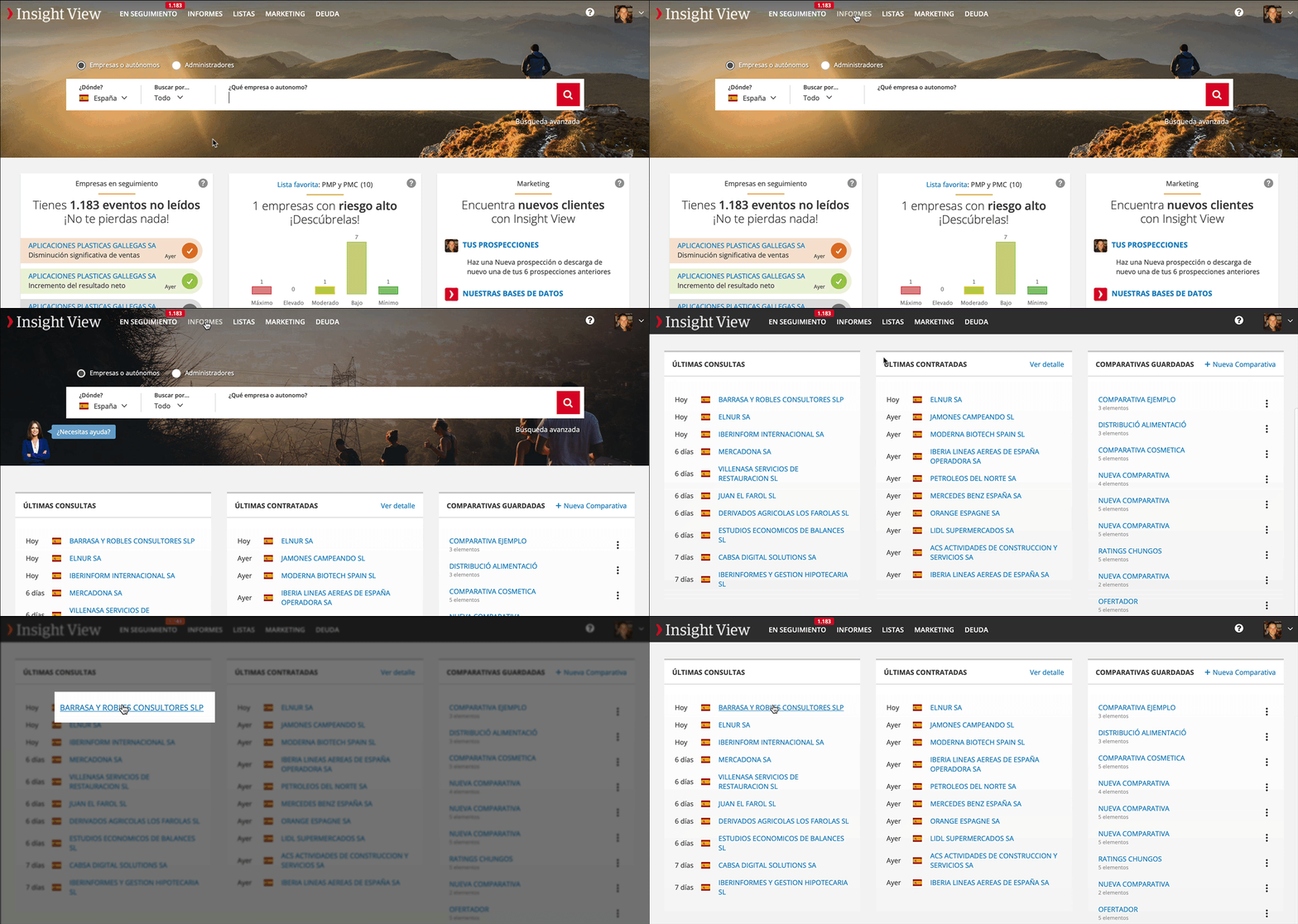
From the reports section
In the reports section, we save the 10 most recently contracted and the 10 most recently consulted, so this is another quick way to re-open a report that you have not finished analysing.
- Go to the Reports section
- Click the name of the company or freelancer in the record of the companies most recently consulted or contracted.
_______
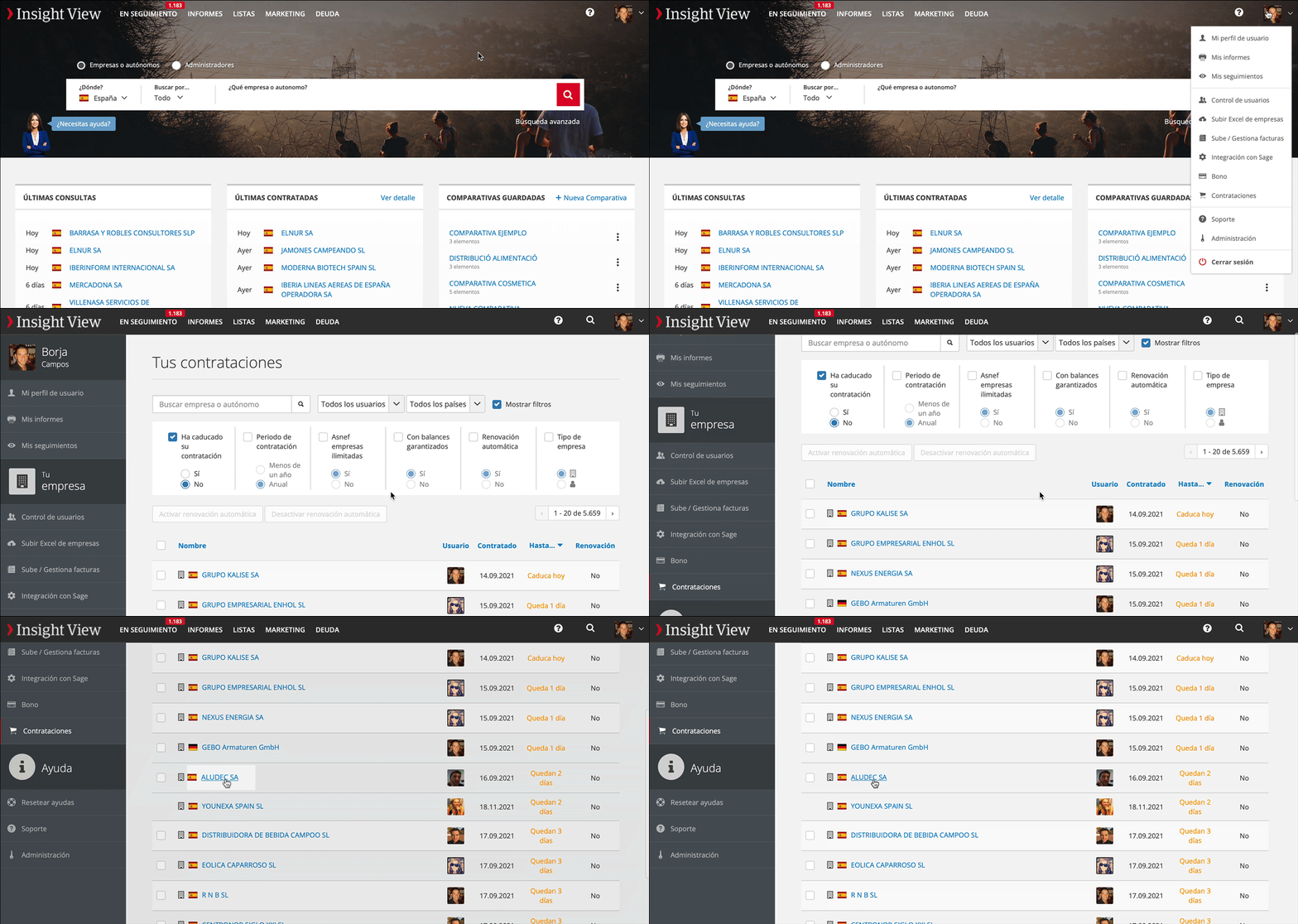
From the record of reports contracted
All reports contracted by all users in your company are listed with an indication of the time remaining for unlimited consultations.
- Click your user options
- Click your contracts
- Click the name of the company or freelancer whose report you want to consult
_______
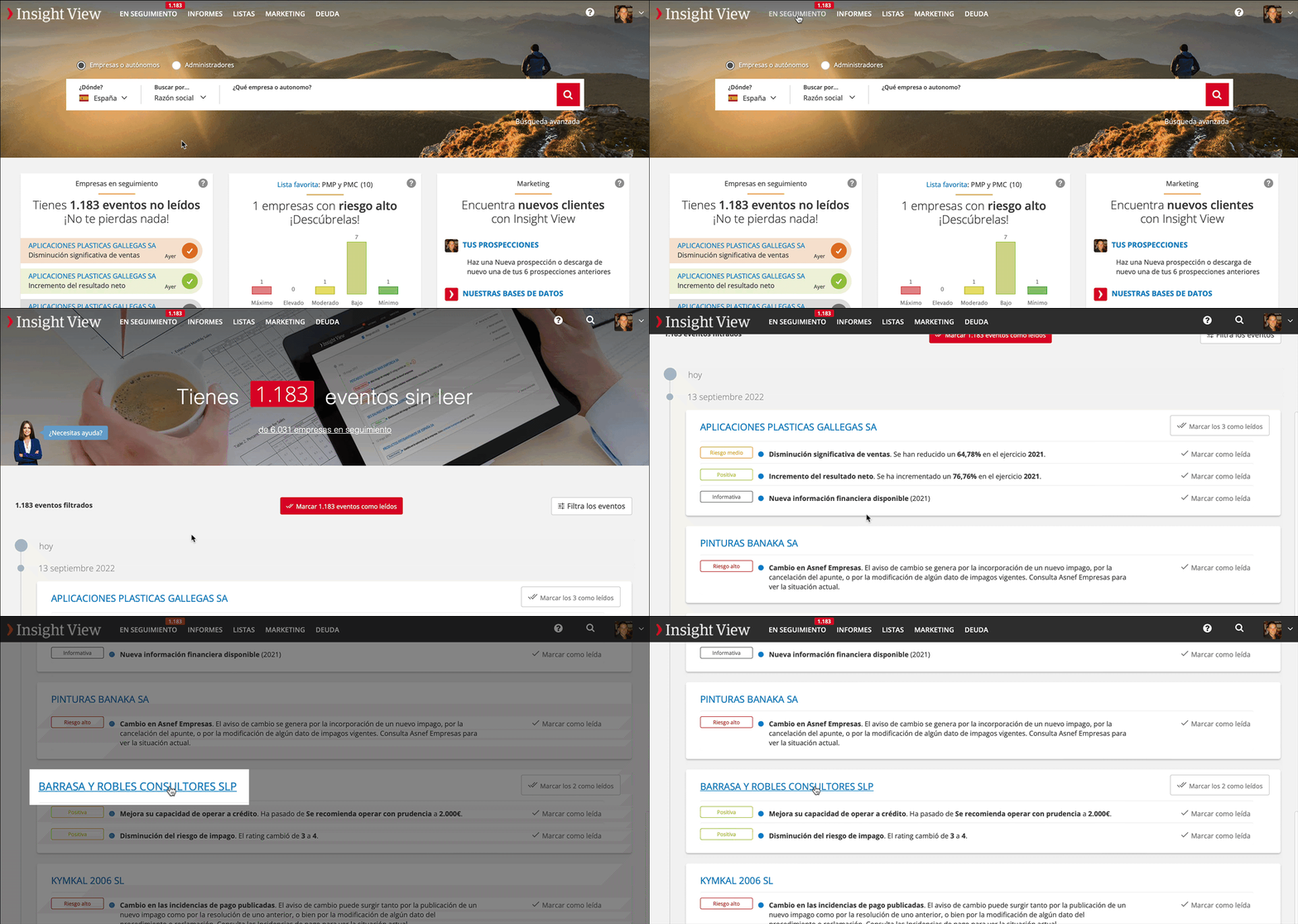
From the Followed companies section
Another way to access a report:
- Go to the Followed section (or its widget on the home page)
- Click the name of the company or freelancer whose report you want to consult
- The report opens, but this time you are taken to the "Timeline" to consult the events that have occurred.