
Accessed by clicking on the Reports section of the Insight View header menu, it is the core of business analysis information.
Discover the key aspects of companies’ financial health in its report and analyse the strengths and weaknesses of different companies using comparative reports
_______
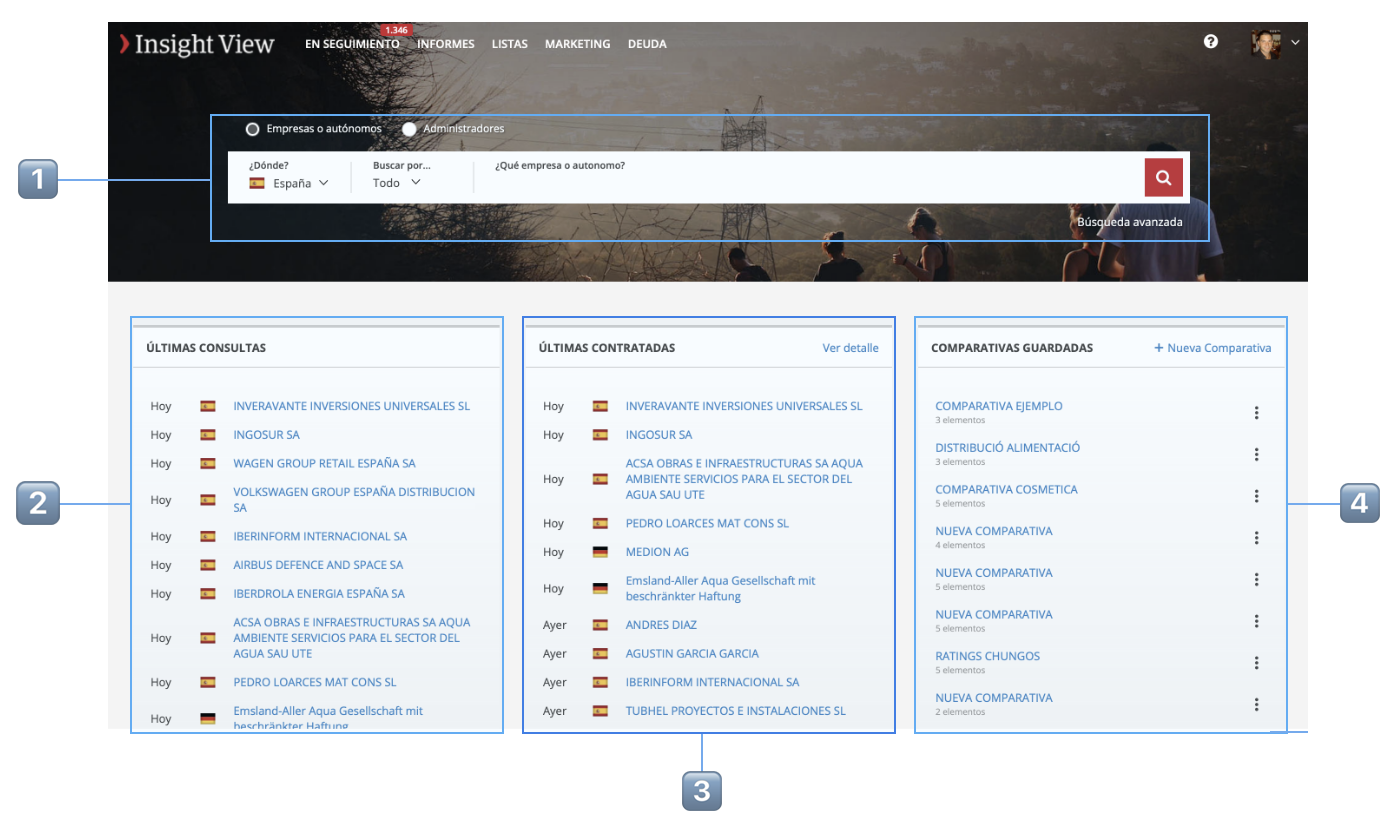
Reports home
| 1️⃣ |
Search engine of companies, freelancers and directors, including an advanced search option (using filters) The article How to access a report explains how the search engine works. |
| 2️⃣ | Recent consultations: Easily retrieve a recent consultation (the consultation date is indicated) by clicking the name. |
| 3️⃣ | Recent companies contracted: Access the report on the most recent companies contracted, showing the contracting date, by clicking the name of the report. |
| 4️⃣ |
Comparisons saved: As explained in the article Comparative reports, comparisons can be saved. They are saved in this section and you can start a new one from here. Bear in mind that there is a limit on saved comparisons per user. |