
To access all the available information on a company or freelancer, you must contract it.
In this article, we explain:
_______
International coverage
Insight View has international coverage in up to 72 countries, which we have divided into 2 groups
Insight countries (group A)
- Unlimited consultations for up to 1 year
- The available information may vary depending on the country and company.
- In addition to consulting the report, it is possible to add to comparisons and lists and to conduct prospecting
On-Demand countries (group B)
- Unlimited consultations on the day of company contracting
- The available information may vary depending on the country and company.
- Cannot be added to lists, prospecting, comparisons...
Consult the record of countries by group
_______
Contracting reports individually
You contract the information on each company or freelancer as needed. You can do this from various places in the application:
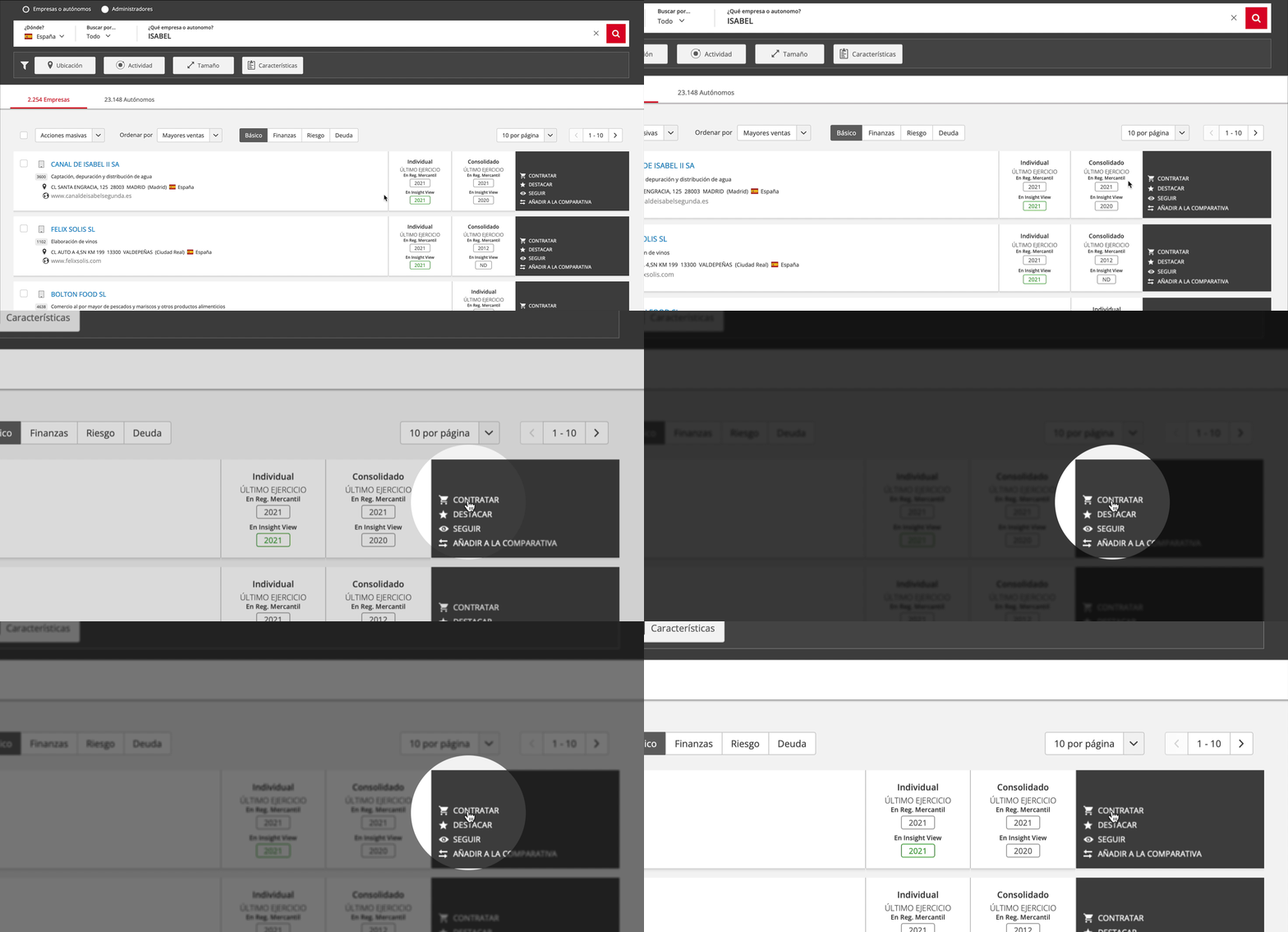
Contracting from the record of companies
- Search for a company or access the record of companies in a list
- In basic view, click the task "contract"
Contracting when accessing a company

When you access a company certain free information is provided, such as the technical details and information of different kinds, but not in detail. To obtain all the company’s information you must contract it.
- Access a report as set out in this article
- In the company summary, click the contracting button.
_______
Contracting reports in batches
This is the quickest way to obtain information on all the companies that interest you.
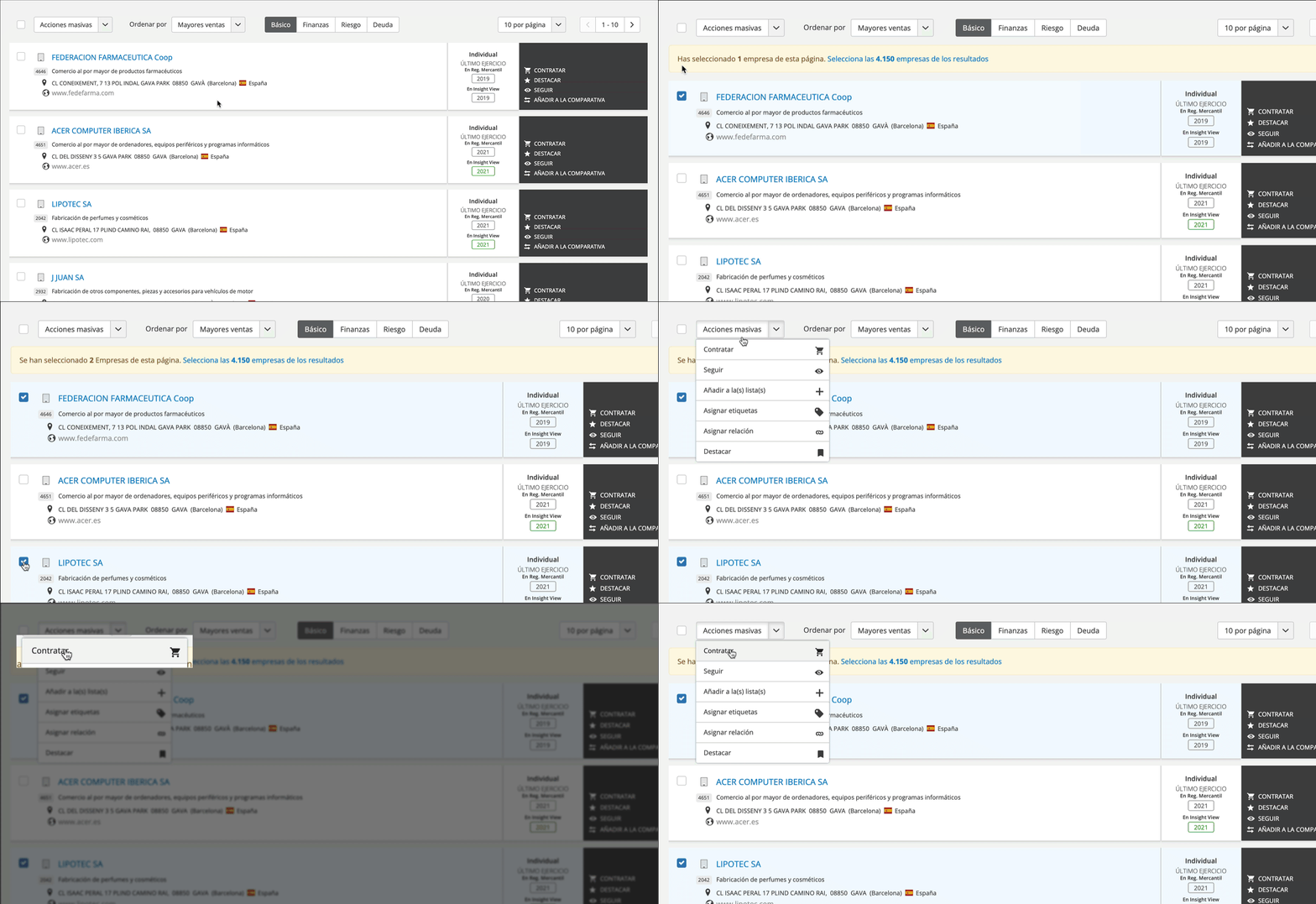
From the records of companies
- Perform an advanced search or access the records within a list.
- Select the companies you wish to contract
- Click the massive action "contact"
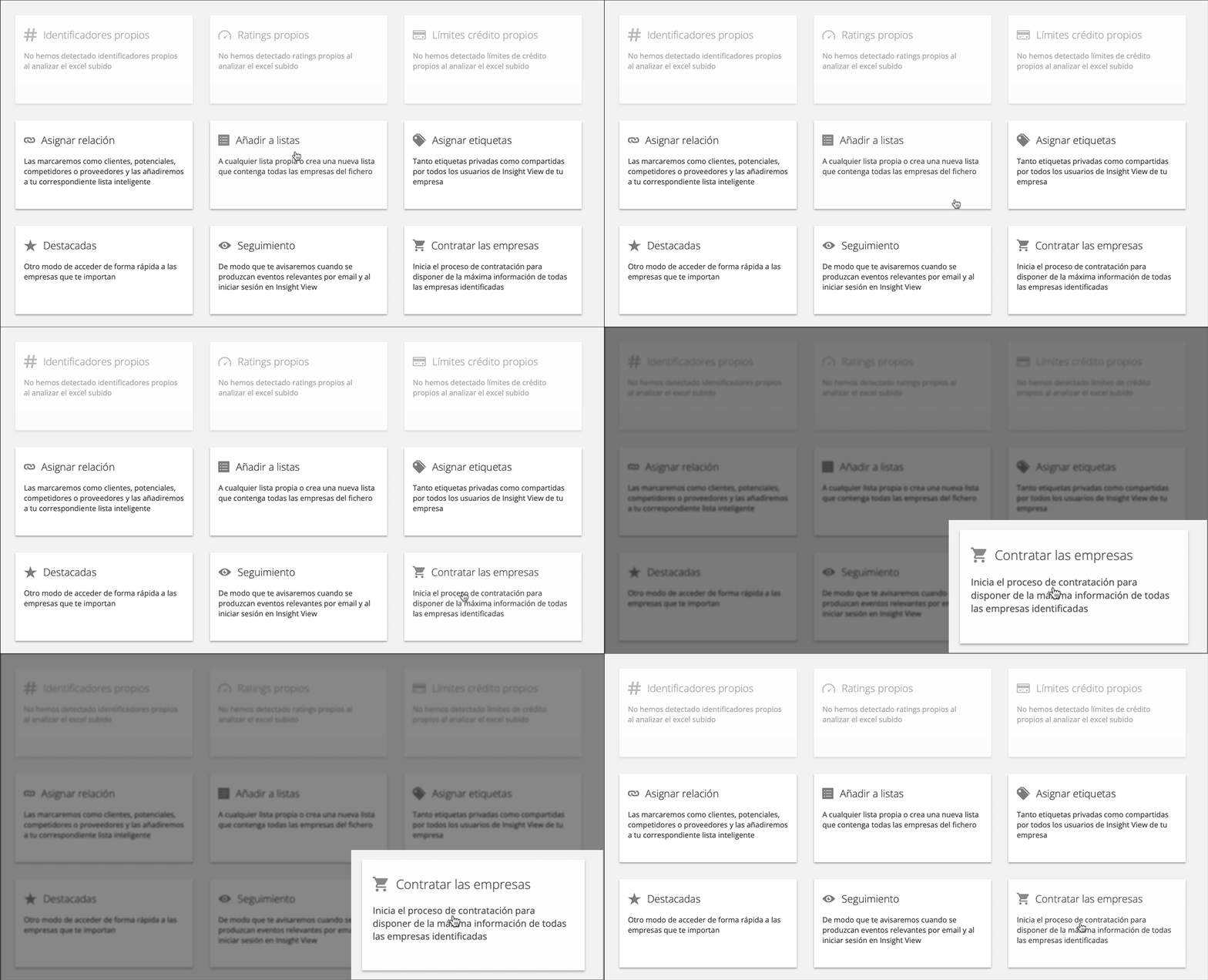
From an Excel file
- Upload an Excel file as set out in this article
- Select the massive action "contract companies"
_______
Options available when contracting a company
Whether contracting a company individually or massively, you will access the contracting options:
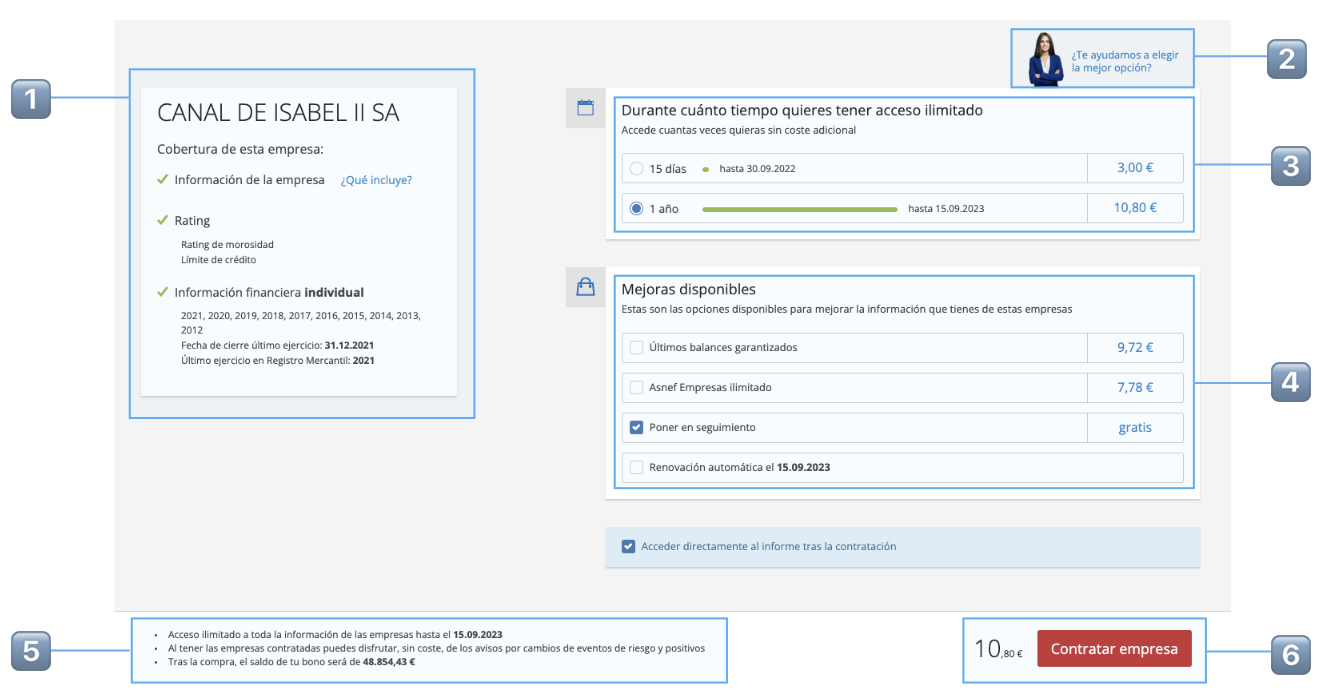
The contracting screen is divided into:
| 1️⃣ |
What you are contracting: Whether it is an individual or massive purchase, this box shows which information you are contracting and any purchase incidents (unrated companies, companies already contracted, etc.) |
| 2️⃣ |
Contract wizard: Depending on how important the company or companies you are contracting are to you, we help you choose the best options |
| 3️⃣ |
Unlimited duration of consultations: For companies in Insight countries (group A), you can contract information for a short period or a full year, during which time you can access as many times as you wish at no additional cost, including all updates as they occur. In the case of On-Demand countries (group B) they can only be consulted until 23:59 on the contracting day |
| 4️⃣ |
Latest balance sheets guaranteed: You ensure that you have the most current financial year on file at the Mercantile Register (only for 1-year contracts). ASNEF Empresas unlimited: Unlimited queries to the ASNEF Empresas default file (only for 1-year contracts). Follow: As soon as you start following a company we will notify you of all relevant events that happen to it. Automatic renewal: Once the contract period has expired, it will be automatically renewed with the same improvements and rates in force at the time of renewal. You will receive a notification a few days prior to renewal in case you want to cancel it. |
| 5️⃣ | Summary of the purchase: Check everything you have selected and the outstanding balance of your voucher once you have completed the contracting process |
| 6️⃣ | Cost of the purchase and confirmation: We will show you the total cost to be deducted from your voucher as soon as you confirm your purchase. |