
Insight View has 2 predetermined reports:
- Insight Report, with all the available sections
- Compact Report, to obtain a summary of key points.
You can also create up to three more customised reports. When you have created them, you can select them in export report in PDF.
This article explains how to:
_______
Create a report
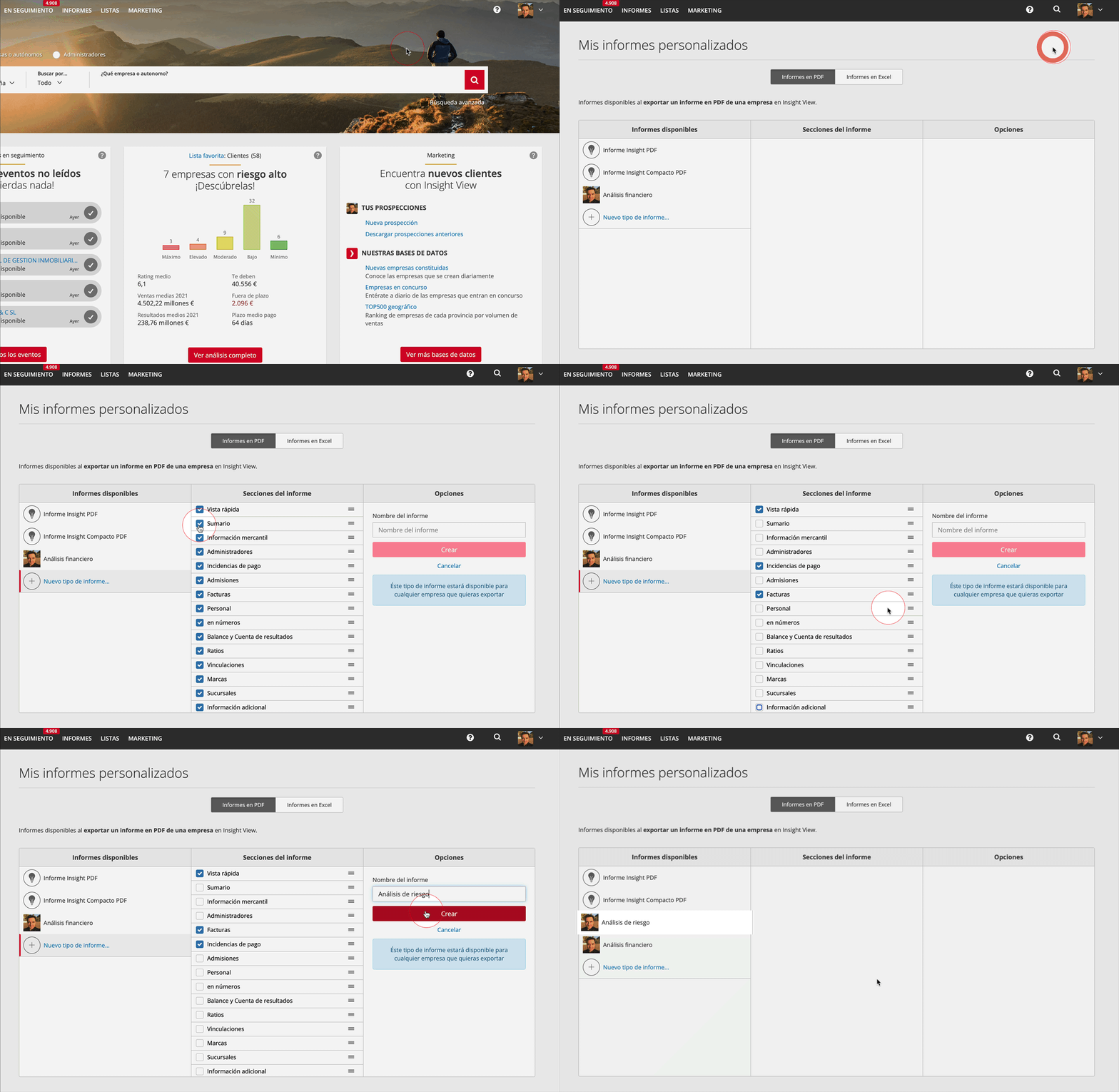
- Click user options, to the right of the header
- Click My reports
- Click New kind of report
- In the centre column:
- Deactivate the sections you do not want to export
- Drag the sections to the desired place
- In the right-hand column enter the name of the report and click Create
- Your customised report is now available in reports export.
_______
Edit a report
- Click the report you want to delete or edit
- Click Edit if you want to add/delete sections and/or rearrange them and save your changes
_______
Delete a report
- Click the report you want to delete
- Click Delete this report if you want to delete it, and confirm